- Go 99.3%
- Nix 0.7%
| Filename | Latest commit message | Latest commit date |
|---|---|---|
| .github | ||
| .vscode | ||
| cfg | ||
| cli | ||
| cmd | ||
| docs | ||
| ficsit | ||
| tea | ||
| utils | ||
| .editorconfig | ||
| .envrc | ||
| .gitignore | ||
| .golangci.yml | ||
| .goreleaser.yml | ||
| cspell.json | ||
| docker-compose-test.yml | ||
| ficsit-cli | ||
| flake.lock | ||
| flake.nix | ||
| genqlient.yaml | ||
| go.mod | ||
| go.sum | ||
| LICENSE | ||
| main.go | ||
| README.md | ||
| shell.nix | ||
| tools.go | ||

Note
nixpkgs has this checked in, so there is no need for this flake anymore.
ficsit-cli 




A CLI tool for managing mods for the game Satisfactory.
Installation
| amd64 | 386 | arm64 | armv7 | ppc64le | |
|---|---|---|---|---|---|
| Windows | amd64 | 386 | arm64 | N/A | N/A |
| Arch | yay -S ficsit-cli-bin |
||||
| Debian | amd64 | 386 | arm64 | armv7 | ppc64le |
| Fedora | amd64 | 386 | arm64 | armv7 | ppc64le |
| Alpine | amd64 | 386 | arm64 | armv7 | ppc64le |
| Linux | amd64 | 386 | arm64 | armv7 | ppc64le |
| macOS | darwin_all | N/A | |||
Usage
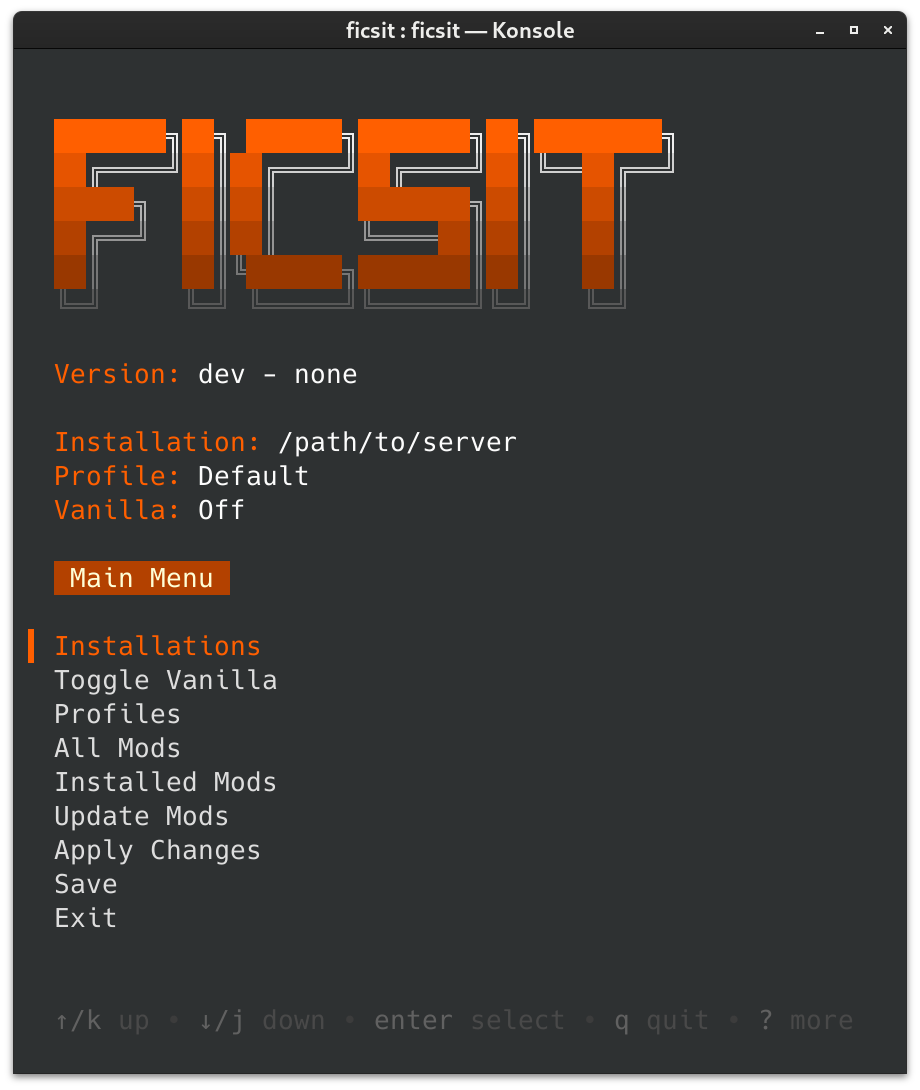
Interactive CLI
To launch the interactive CLI, run the executable without any arguments.
All screens display control hints at the bottom.
Command Line
Run ficsit help to see a list of available commands and flags.
Managing Installations
Unlike Satisfactory Mod Manager, ficsit-cli does not automatically detect installations.
First, locate your game install path. Check the Modding FAQ to learn how to find it given your specific install situation.
To add installations in the interactive CLI, use Installations > new installation.
To add installations from the command line, use ficsit-cli installation add yourPathHere.
Troubleshooting
- Profile and installation records are located in
%APPDATA%\ficsit\ - Downloads are cached in
%LOCALAPPDATA%\ficsit\downloadCache\
Get help on the modding Discord.
Development
Dependencies
- Go 1.21
- IDE of Choice. Goland or VSCode suggested.
Code Generation
If you update any of the GraphQL queries, run this to update generated code:
(echo "y") | npx graphqurl https://api.ficsit.app/v2/query --introspect -H 'content-type: application/json' > schema.graphql
go generate -tags tools -x ./...
If this command fails due to a mismatched schema,
you may need to use the url https://api.ficsit.dev/v2/query instead.
Building
go build
Will produce ficsit-cli.exe in the repo root directory.
Linting
Install golangci-lint via the directions here,
but make sure to install the version specified in .github/workflows/push.yaml instead of whatever it suggests.
Then, to run it, use:
golangci-lint run --fix
Updating generated docs
The files within ./docs are generated using cobra, use the following to update
them.
go run tools.go